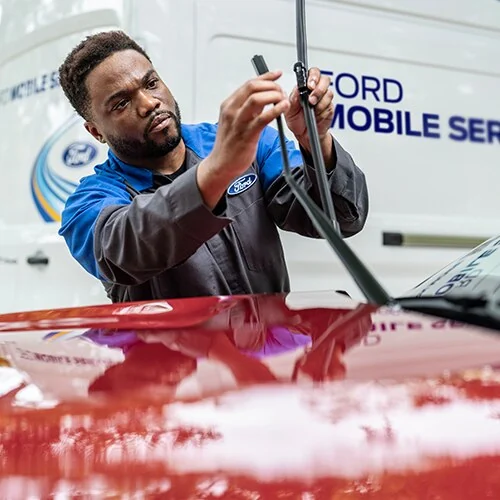
A free Ford recall check starts with the VIN on the vehicle and Ford's own recall lookup. Use the result to identify the campaign that applies to your car or truck, then confirm the repair route with a Ford dealer. A model-year headline, an app notification and a completed repair record answer different questions.
This US owner guide explains Ford's VIN tool, Customer Satisfaction Programs, Ford app alerts and the steps between discovering a campaign and documenting its completion. Official pages were checked on October 9, 2026; individual VIN results and repair availability can change. Product Recall Checker is an independent website, and the manufacturer notice controls the remedy for your vehicle.
Start with Ford's free VIN recall lookup
Open Ford's US recall page and enter your vehicle identification number. Ford offers a direct VIN search as well as options for vehicles saved to an account and a year-and-model search. Its page states that the lookup covers recalls initiated since January 1, 2004. That starting date matters when you are investigating an older vehicle: this screen should not be treated as an unlimited historical archive.
Use the VIN route for an ownership decision. Searching “F-150 recalls” or choosing a year and model can help you locate a campaign description, but the description still needs to be matched to your particular vehicle. Two trucks with the same model name can have different components, production histories or completed repairs. The useful question is whether your VIN has an applicable outstanding campaign.
After the search, retain the campaign identifier, description and instructions that appear for your vehicle. Note the date you checked and any statement about remedy availability. These details give the service advisor something precise to investigate. If a result offers several actions, record each one separately rather than assuming one appointment automatically completes every item.
Find the VIN on your Ford
Ford describes the VIN as a 17-character alphanumeric identifier and points owners to the driver's doorframe, the lower driver's side of the windshield, and purchase, insurance or registration documents. Compare the identifier on the actual vehicle with your paperwork before submitting it. A transposed character can send you down an irrelevant lookup path.
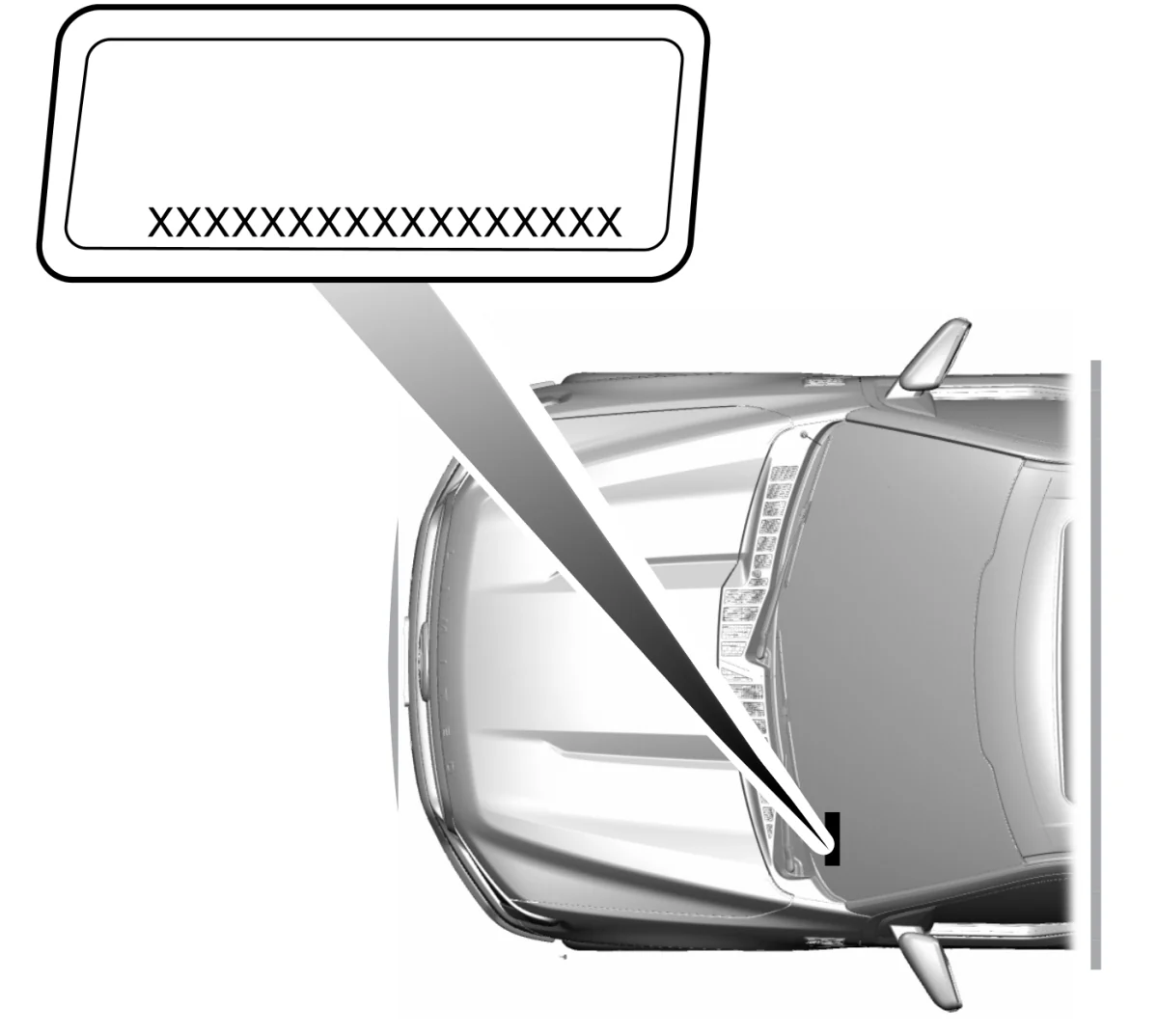
The official Ford manual example places the identifier on the left-hand instrument panel. The illustration helps you recognize the label; it does not supply a VIN you can use. Keep your own search result for the dealer, and avoid posting a complete document containing your address or other personal details when seeking public advice.
Separate safety recalls from Ford Customer Satisfaction Programs
Ford's recall page draws an important distinction between recalls and Customer Satisfaction Programs, often abbreviated CSPs. Recalls address a safety, compliance or emissions concern. A CSP can offer an upgrade to a particular component or extend existing warranty coverage. Both are VIN-specific, so an apparently similar problem on another owner's vehicle does not establish coverage for yours.
| Ford action | What to read before arranging service |
|---|---|
| Safety, compliance or emissions recall | Exact campaign, applicable VIN, remedy and any interim operating instructions. |
| Customer Satisfaction Program | VIN eligibility, covered component or upgrade, expiration date, mileage conditions and other program terms. |
Ford says safety, compliance and emissions recalls do not expire, while other Customer Satisfaction Programs often have time and mileage limitations. Read that distinction alongside the specific program document. Do not assume a warranty extension remains available because an older forum post calls it a “recall,” or assume a safety recall has ended because the vehicle's normal warranty has expired.
A historical example shows why the actual terms matter. Ford's February 2024 supplement for CSP 23B21, involving Gateway Module programming, listed different deadlines for its initial F-150 Lightning population and later F-150/Bronco population. Those published dates were March 31, 2024 and February 28, 2025 respectively, without a mileage limit. This example explains how a CSP is structured; it is not an announcement of current eligibility for every 2023 Ford.
When you contact the dealer, use the identifier and category shown in your result. Ask whether the proposed work is the recall remedy, a CSP benefit or a separate diagnosis. If several notices describe related connectivity symptoms, have the advisor identify which campaign will be claimed for each repair. That prevents a conversation about “the software recall” from overlooking a separate program condition or an outstanding safety action.
Use the Ford app for alerts and service planning
The Ford app, formerly FordPass, offers recall notifications, vehicle service history and appointments with your preferred Ford dealer. Ford says it is free to download, and an existing Ford Account can be used to sign in. Those features can help you move from discovering an issue to arranging service without repeatedly searching for the dealership's contact details.
Check that the vehicle in your account is the one you own. This is especially useful for households with several Fords, a recently traded truck or an account that still contains a previous vehicle. Read a notice with its campaign number, then compare it with the VIN lookup. If the app and the web page appear to describe different actions, send both descriptions to the advisor and ask which applies to your vehicle.
Use a booking message to state the task clearly: “My VIN lookup shows campaign [identifier]. Please confirm whether the remedy is available for my vehicle and whether this appointment includes that campaign.” Add any actual symptoms separately, including when they occurred. That separates the official campaign from a new concern that might require diagnosis, and lets the advisor prepare the correct service request.
For contact details, Ford's app instructions direct users through Account settings and Account Information to edit their profile. Its support route includes Account > Help. Keep an address or phone change separate from assumptions about campaign completion: an updated profile helps communications reach you, but a recall still needs the remedy specified for the VIN.
You can also use the app's service history to organize your records, while retaining the dealer's repair order. A short history entry may be less precise than the campaign identifier and work description on that document. If a reminder is confusing after a visit, ask the dealer to reconcile it with the repair record. The public VIN check remains useful when you do not use connected features or cannot access an account.
Compare Ford results with NHTSA without misreading an empty search
Check the same identifier at NHTSA's recall tool when you want a second official view of outstanding safety recalls. NHTSA distinguishes VIN or license-plate searches for a specific vehicle from year, make and model searches that return broader recalls, investigations, complaints and manufacturer communications.
The federal VIN tool has limits. Its guidance excludes completed safety recalls, non-safety customer-service campaigns and international vehicles. Very recent campaigns may not yet have all affected VINs identified. It also generally does not show safety recalls older than 15 years unless a manufacturer offers additional coverage. These limits explain why its output is not a complete Ford maintenance or campaign history.
Compare the type of action before comparing the number of entries. A Ford CSP appearing in the manufacturer result does not have to appear as an unrepaired safety recall on the federal tool. Similarly, a completed campaign may remain in your personal repair records even though it no longer appears among outstanding recalls. Count differences alone cannot establish that one result is wrong.
If you have an official letter but an empty VIN search, first compare the letter's VIN and campaign identifier with the vehicle. Then ask Ford or the dealer to investigate the specific discrepancy. Keep both search dates and the letter so the advisor can see exactly what you are referring to. Avoid substituting a different owner's VIN to test eligibility for your truck.
An empty search also does not diagnose a noise, warning light or loss of function. Describe that condition to the service provider independently. The recall lookup answers whether a published action is outstanding within the tool's coverage; it cannot certify that every component is functioning correctly. For other product alerts, our latest recall feed is a starting point, while the vehicle-specific manufacturer notice remains the repair reference.
Arrange the campaign repair with a Ford dealer
Once the lookup or owner notice identifies an applicable action, contact a Ford dealer with the VIN and campaign number. Ford's US recall FAQ says parts and service for a vehicle recall repair are free through the local Ford dealer. Make sure the appointment request names the campaign, rather than merely asking for a routine service visit or describing a component.
Read any interim instructions before deciding how to bring the vehicle in. A notice may include precautions that apply while the remedy is pending. The existence of a booking confirmation does not override those instructions, and a general article cannot determine whether your vehicle should be driven. Ask the advisor to explain the official guidance for your exact campaign when it is unclear.
Keep other requested work distinct on the appointment. If you also want an oil change, diagnosis of a warning light or a repair unrelated to the campaign, ask the dealer to identify that work and its proposed charges separately. The free recall remedy is not a blanket promise that every concern raised during the visit will be covered. Review the estimate before authorizing additional service.
Ask about parts, timing and earlier repair bills
Before making a trip, ask whether the final remedy is available for the VIN, whether required parts are ready, and whether the visit is an inspection or completion of the remedy. Request an estimate of how long the dealer expects to keep the vehicle. A published technician work time does not necessarily include waiting for a bay, programming equipment or other scheduling needs.
If you previously paid to address the same concern, keep the repair invoice, date, payment evidence and work description. Ford's FAQ says you may be eligible for a refund when an earlier paid repair is later tied to a recall; the dealer can investigate the applicable conditions. Do not assume a promise made to another owner establishes your reimbursement amount or deadline.
Earlier repairs also do not automatically close a campaign. A historical Ford owner letter explicitly required owners who had paid for related work to have the recall performed to ensure the correct procedures were used. Ask your advisor whether your prior work satisfies the current campaign and what evidence is needed. A refund review and verification of the remedy are separate tasks.
Check whether software updates or mobile service can complete the remedy
Ford offers several ways to deliver some campaign remedies. The right route depends on the actual action, vehicle capabilities and dealer arrangements. Identify the remedy first, then ask which route can complete it. Convenience options should not lead you to skip an inspection or replacement required by the notice.
Over-the-air updates have campaign-specific requirements
In its 2026 explanation of over-the-air updates, Ford says some software recalls can be remedied remotely. It advises enabling Automatic Software Updates and setting a recurring update schedule. Connectivity problems or an update that is not accepted can require dealer assistance. A recall involving a physical part or additional service still needs that work completed.
One dated example is Ford's February 26, 2026 announcement for campaign 26C10, an Integrated Trailer Module software action. Ford described OTA, dealer and mobile-service routes for affected vehicles and directed owners to VIN eligibility checks. That announcement demonstrates the available types of remedy delivery; it does not establish that your VIN is affected or that a particular update is ready on your vehicle today.
Read the release notes and successful-installation message for the relevant update. An unrelated enhancement appearing on the screen is not proof that a recall remedy was installed. Ask the dealer to verify the campaign when you cannot connect the update description to the notice. Keep the confirmation together with the campaign number so later questions do not depend on remembering a screen that has disappeared.
Mobile service depends on the repair and participating dealer
Ford Mobile Service can bring a technician to an eligible location for available work. Ford describes participating-dealer limits based on availability, distance and other dealer criteria. Ask whether the exact campaign can be completed at your location, what access the technician needs and whether the appointment includes every required step.
Mobile repair and Pickup & Delivery serve different needs. With the latter, the vehicle is taken to the dealer for work and returned afterward. A repair that cannot be performed in a driveway may therefore have a different convenience option. Confirm arrangements with the dealer rather than assuming the service photograph or a general marketing page determines eligibility.
Ford's broader remote-service descriptions exclude general parts and repair charges from the convenience offer. For an applicable recall, confirm the no-charge campaign remedy specifically. Also ask how you will receive its repair record. A technician visiting the vehicle, or collecting it for service, is the beginning of the appointment; documentation of the required work is what helps you verify completion.
Keep completion records and recheck when ownership changes
Before closing the appointment, obtain a record that identifies the vehicle, campaign number, work performed and service date. If the visit addressed several actions, ask which were completed and which remain outstanding. Keep the record alongside the notice and any successful software-installation confirmation. That collection is more useful than a note saying only “recalls done.”
Recheck the VIN after service and investigate an unresolved mismatch with the dealer. Ford's historical CSP 23B21 bulletin acknowledged that a recently successful OTA update could still appear among outstanding actions until the record changed. This is a reason to request verification, not a reason to dismiss every open notice as a delay. Have the advisor match the campaign's completion evidence to your VIN rather than simply waiting indefinitely.
For a used Ford, repeat the lookup yourself before relying on the seller's old screenshot. Ask for campaign repair orders when the seller says an action was already completed. A previous owner's appointment confirmation does not show what work was actually performed, and a maintenance receipt might describe a different component. Make unresolved items part of your service planning for the vehicle.
When ownership changes, update your Ford contact information and account vehicle list as appropriate. Follow the instructions in any notice that still reaches you for a vehicle you sold; a Ford owner-letter example advises forwarding it when the new owner's address is known. Removing a vehicle from an app does not perform a repair on it.
A useful final record has four answers: which VIN was checked, which campaign applied, which remedy was completed and what remains to be arranged. Keep checking official notices as new actions can be issued after an earlier repair. You can use Product Recall Checker's search for wider recall awareness, while Ford's VIN result and dealer documentation settle the campaign-specific service question.
Comments
Comments are reviewed before publication. Do not post personal information, serial numbers, medical details, or emergency reports. For urgent safety concerns, use the official agency contact in the recall notice.
Sign in with Google to leave a comment
Loading comments...