Quick answer: three safe ways to check
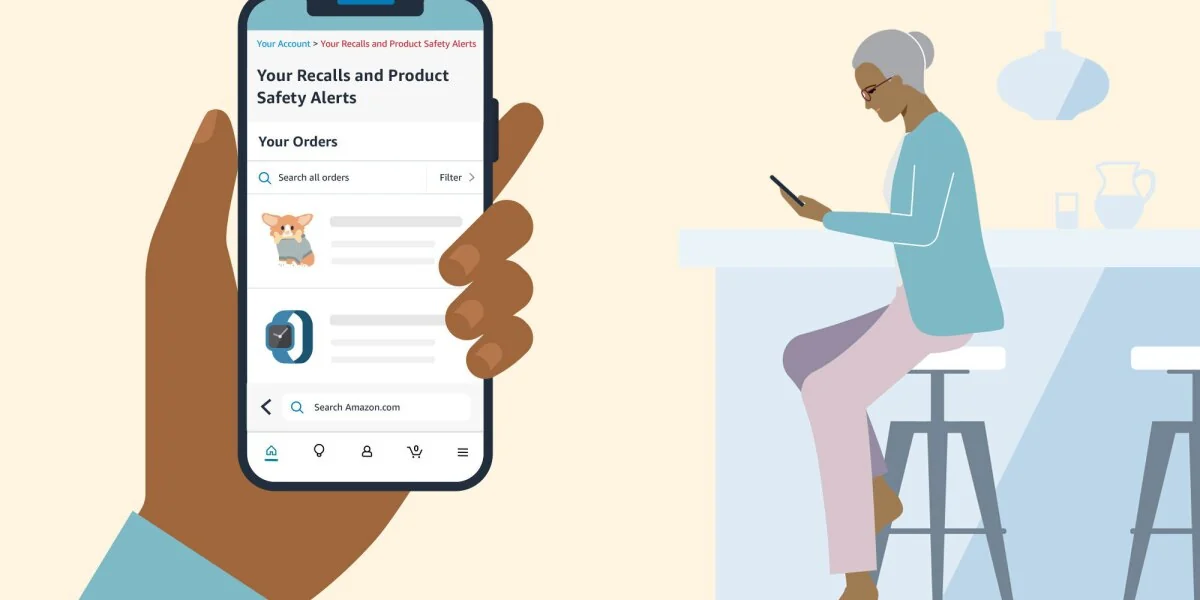
To check whether an Amazon purchase has been recalled, open Amazon directly instead of using a link from an unexpected message. Review Your Recalls and Product Safety Alerts in your account, look for a safety banner or notice in Your Orders, and use Amazon's public product-safety alerts list as a broader search. In the Amazon Shopping app, start with the correct account and Your Orders; if the recall shortcut is not visible, search the account menu or help area for “recalls” or “product safety alerts.”
An alert associated with your order is only the first match. Open the linked recall notice and compare every identifier it provides—such as the model, UPC, lot or batch, serial number, date code, package size, or production range—with the item in your possession. A matching product name or seller alone does not prove that your exact unit is included.
- Type
amazon.comyourself or open the official Amazon Shopping app. - Confirm that you are using the account that placed the order.
- Check the personal safety-alert page and the relevant order.
- Read the complete official notice and match the exact identifiers.
- Follow only the safety instructions and remedy shown in that verified notice.
Check Amazon recalls on the website
On a browser, sign in through Amazon's website and open Your Account. Look for Your Recalls and Product Safety Alerts. Amazon says this personal page is a dedicated place for recall and safety information about products purchased in its store. You can also open Amazon's official Your Recalls and Product Safety Alerts page after independently confirming that the address is on amazon.com.
This account-level page is the strongest Amazon-specific starting point because it uses your purchase history. It can identify the order associated with an alert, describe the potential hazard, and direct you to the notice-specific next step. If you arrived because of a text or email, close that message first and navigate through Amazon separately; do not use the message's sign-in, refund, or support link.
Use Your Account and the personal safety-alert page
Open the personal alerts page and review each entry rather than relying on the subject line of an email. Confirm the product image and order information, then open the alert details. Amazon's official description of the feature says the page links affected customers to information about the safety hazard and available actions.
If the page is empty, check that the displayed profile, country marketplace, and email address belong to the account that made the purchase. An empty page does not establish that a product is safe. The item may have been purchased through another account or outside Amazon, or an official notice may be new, described under different identifiers, or maintained by the responsible government agency.
Check the alert banner in Your Orders
Next, open Your Orders and find the purchase. Search by the product name or narrow the order year when the item is old. Amazon says affected customers may see a banner at the top of Your Orders that leads to their personal recall and product-safety information. A genuine notice may also appear in Amazon's account Messages.
Do not treat “currently unavailable,” a removed listing, a delayed shipment, or a third-party seller's disappearance as proof of a recall. Those events can have unrelated causes. Look for explicit safety or recall wording tied to an official notice, and preserve the order number and invoice if the remedy asks for proof of purchase.
Check Amazon recalls in the app
Open the Amazon Shopping app from your device—not from a notification link—and confirm the active account. Go to Your Orders, locate the item, and inspect the order detail for a product-safety or recall alert. Amazon's current safety guidance identifies the Shopping app's Your Orders area as a safe place to verify order-related claims, and its published recall program also uses push notifications for affected customers.
Amazon changes app layouts, labels, and menu positions over time, and different versions or regions may not show the same shortcut. The reliable destination names are more useful than a rigid tap sequence: Your Orders, Your Account, Messages, and Your Recalls and Product Safety Alerts.
Use account search when menus have moved
If you cannot find the personal-alert shortcut, use the app's account/help search for “recall” or “product safety.” You can also open a mobile browser, type amazon.com, sign in, and use the official personal safety-alert page. Check the domain before entering a password; a page that merely includes “Amazon” somewhere in its address is not necessarily Amazon.
Do not install an unfamiliar “Amazon recall checker” app promoted by a text, email, advertisement, or pop-up. The relevant official routes are the Amazon Shopping app, Amazon's known website, and the government agency that owns the recall program.
Read the recall alert and match the exact item
Once an alert appears, read the full notice before deciding that your product is affected. Recall scopes can be narrower than a product family or listing. Depending on the item, the controlling notice may identify a specific model, UPC, lot or batch, serial number, date code, expiration date, package size, manufacturing period, or vehicle identification number.
Compare the notice with the label on the actual product or package, not only the Amazon listing title. Listings can group variants, sizes, colors, model years, or seller offers on one page. If the notice includes photographs showing where an identifier is located, use them. When a critical field is missing or unreadable, contact the recalling company through the verified notice rather than guessing.
Order match versus product-identifier match
An Amazon account alert connects a safety issue to a purchase record. The official recall notice defines which units are affected. These two checks usually support each other, but they answer different questions: the order match shows what was bought, while the identifier match establishes whether the physical unit falls within the published scope.
For example, an FDA-regulated medicine recall may depend on the lot number printed on the bottle, while a CPSC consumer-product recall may use a model and date code. FDA specifically tells consumers checking a recalled medicine to compare the label's lot number with the recall notification. Never assume that all products from the brand—or all orders on the same product page—are included.
Personalized alert versus Amazon's public recall list
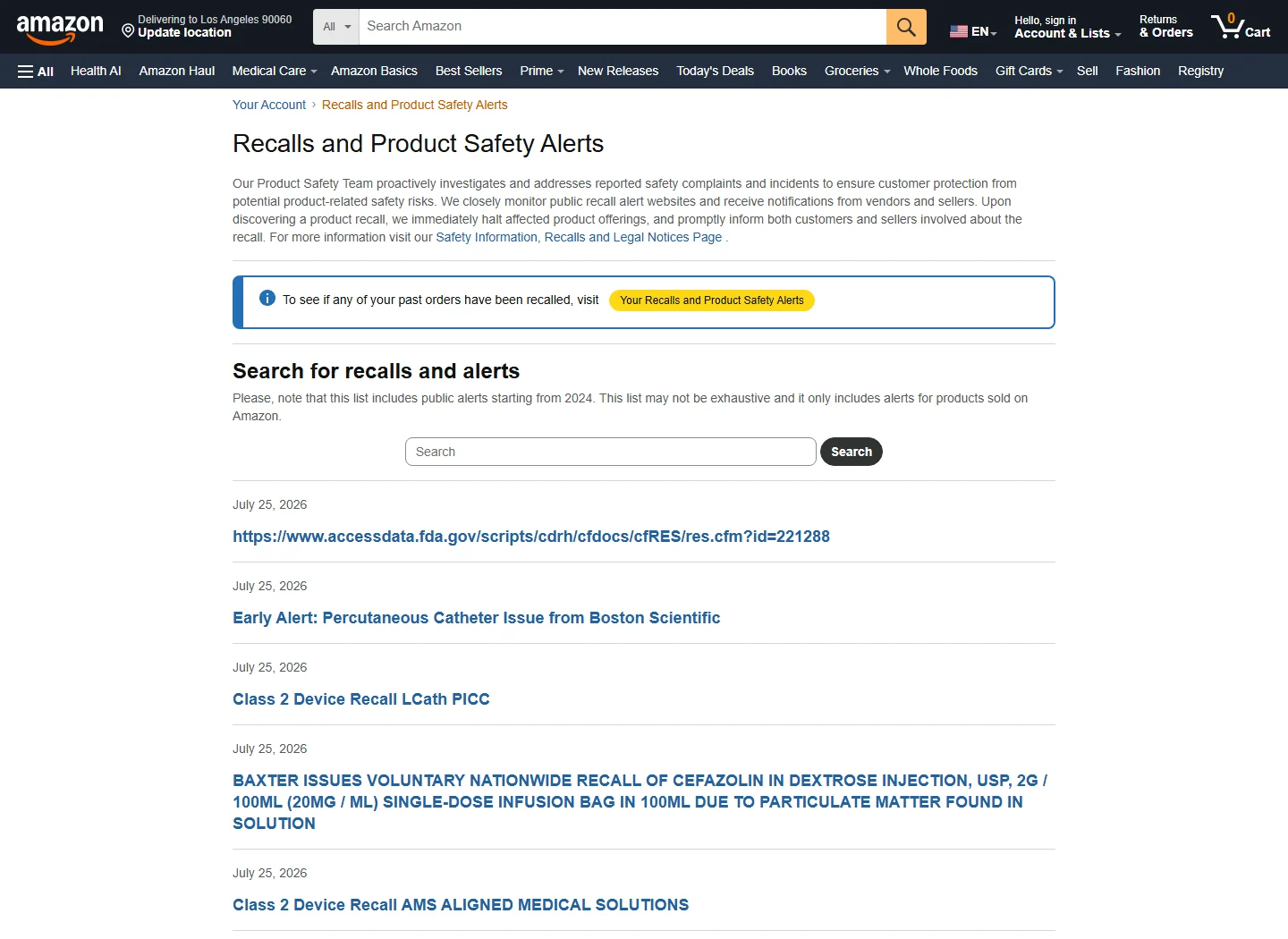
Amazon provides both a personalized account page and a public Product Safety and Recalls Alerts list. Use the personal page to check items associated with your Amazon purchase history. Use the public list to browse or search broader alerts for products sold in the store, including when you cannot find the old order immediately.
Appearance on a public list does not, by itself, prove that your exact unit is covered. Open the linked notice and compare its scope. You can also search the Product Recall Checker or browse the latest recall records as starting points, but confirm the identifiers and remedy at the original agency or recalling-company source.
What to do if Amazon shows a genuine recall
Read the complete recall or product-safety notice and follow its exact interim precautions. It may tell consumers to stop using or charging an item, unplug it, keep it away from children, park a vehicle outside, contact a health professional, or take another product-specific step. Do not invent a safer storage, shipping, disposal, or disassembly method; some recalled products can create additional risk when handled incorrectly.
The remedy is also notice-specific. Amazon says the alert experience may direct customers to options such as a refund, return, or repair, but those are examples, not a universal promise. Other recalls may offer a replacement, software update, inspection, corrected label, disposal instructions, or contact with the manufacturer. Save the order record, product label, identifiers, and photographs until the verified instructions say what is needed.
For a recalled medicine or medical device, do not stop necessary treatment solely because you saw an alert. FDA notes that stopping a medicine can sometimes be more harmful than continuing it. Follow the recall communication and ask a doctor or pharmacist when the action is unclear or treatment could be interrupted.
What if no Amazon recall appears?
First, repeat the account checks: confirm the correct Amazon marketplace and account, search older orders, review account Messages, and try the personal alerts page in a browser. If you still see nothing, search by the exact brand, model, UPC, lot, serial number, or other identifier at the government agency responsible for that product.
Do not conclude that the item is safe only because Amazon or one database returns zero results. New recall records can take time to reach every interface, identifiers may be formatted differently, and the purchase may not be connected to that Amazon account. A no-result search means you have not found a matching open record through that route; it is not a safety certification.
Check the responsible government agency
| Product type | Official U.S. source | Useful identifiers |
|---|---|---|
| General consumer products, appliances, toys and many household goods | CPSC recalls | Product name, brand, model, date code, serial number |
| FDA-regulated food, drugs, supplements and medical devices | FDA recalls and safety alerts | Product, UPC, lot/batch, expiration date, NDC or device identifiers |
| Meat, poultry and processed egg products | USDA FSIS recalls and alerts | Brand, product name, establishment number, lot/date code |
| Vehicles, car seats, tires and vehicle equipment | NHTSA recalls | VIN, year/make/model, equipment brand and model |
The agency depends on the product and the legal program. If an Amazon item contains components regulated by different agencies, begin with the source linked in Amazon's alert or the manufacturer's official notice.
Contact Amazon or the manufacturer safely
Enter Customer Service through the official Amazon app or website. For a manufacturer, use the contact details in the verified agency notice or type the company's known website yourself. Explain that you are checking a possible recall and have the order number plus the identifiers from the physical product.
If the original prompt was an unexpected recall message, never use its phone number, reply address, sign-in page, or refund form. Amazon's official guidance directs suspicious-message recipients to its Report a Scam tool. The related guide, Amazon Recall Text Message: Is It a Scam and What to Do If You Clicked, explains how to verify the message and respond after a click.
Keep future Amazon recall alerts easy to find
Keep the email address and phone/app access on the purchasing account current, and allow the official Shopping app to deliver the notifications you want. Amazon says its recall program can use personalized email, an order-page banner, and push notifications. Still, authenticate every alert inside the account rather than treating the notification itself as proof.
Keep product labels, manuals, order invoices, and serial or lot information for items whose identifiers may be difficult to recover later. Check your personal alerts page periodically, especially for long-lived products such as appliances, batteries, baby gear, power tools, and electronics. The recall guides section can help you understand other lookup methods, but the original recall notice remains controlling.
Amazon product recall FAQ
Does an Amazon recall always mean every unit is affected?
No. A notice may apply only to particular models, UPCs, lots, serial/date codes, sizes, production periods, or countries. Match every identifier the notice provides. Do not assume that another model is included—or safe—based only on a similar name.
Does Amazon always give a refund for a recalled product?
No. Refund, return and repair are examples Amazon gives for its alert experience. The actual remedy is set by the recall or safety notice and may instead involve replacement, inspection, an update, corrected instructions, or another action. Use the option displayed in the verified notice and account alert.
Can third-party seller purchases appear in Amazon recall alerts?
Amazon describes the personal page as covering products purchased in its store, and it offers an optional U.S. Recalls Logistics Service to participating selling partners. A marketplace purchase may therefore receive an alert, but do not assume every seller uses Amazon-managed returns or refunds. Follow the arrangement stated for that recall.
Is Product Recall Checker part of Amazon?
No. Product Recall Checker is an independent website that organizes public recall information to make searching easier. It is not Amazon, a manufacturer, or a government agency, and it does not replace an official recall notice. Confirm the affected identifiers, current status, contact details, and remedy at the original source.
Comments
Comments are reviewed before publication. Do not post personal information, serial numbers, medical details, or emergency reports. For urgent safety concerns, use the official agency contact in the recall notice.
Sign in with Google to leave a comment
Loading comments...