An email labeled “Amazon Product Safety Team” can be real or fake. Do not decide from the display name, logo, order number or professional formatting. Open Amazon's website or app yourself—without clicking the email—and check Your Messages, Your Orders, and Your Recalls and Product Safety Alerts. Then verify the product on the responsible U.S. regulator's website.
If the account contains no corresponding notice, or the email pressures you to sign in, pay, call an unfamiliar number or claim a refund through an outside link, treat it as suspicious. Keep the product aside until you have separately resolved both questions: whether the message came from Amazon and whether the product is actually recalled.
The Fastest Safe Way to Verify the Email
Leave the message closed or visible only for reference. Open a new browser window, type Amazon.com yourself, or launch the Amazon Shopping app from your device. Sign in through that known route. Do not use a button, QR code, attachment, phone number or shortened URL from the email.
- Check Your Messages. Look for a matching communication in Amazon's Message Center.
- Check Your Orders. Find the claimed order and look for a recall or safety banner.
- Open Your Recalls and Product Safety Alerts. Review personalized notices tied to products purchased through the account.
- Compare details. Match the actual product, order, model, UPC, serial/lot number and remedy.
- Verify with the regulator. Search CPSC, FDA, NHTSA or USDA FSIS depending on product type.
- Contact Amazon through the app/site. Use official Customer Service if the records conflict.
Amazon's current scam guidance says genuine product-recall information should be visible inside the customer's account under Messages or Your Orders. That is more meaningful than the visible “From” name because scammers can imitate branding and sender text. A message that looks perfect is still unverified until you confirm it through a separate route.
If the account shows a recall, follow the personalized page and the regulator notice. If it does not, do not click the email to “make the notice appear.” Save a screenshot, report the message through Amazon's official scam-reporting route, and search the regulator by product name/model. The email may be fake while a separate real recall exists, or an authentic notice may be delayed or associated with another account.
Do not interpret “no matching Amazon message” as proof that the item is safe. A product bought from another retailer, a second account, a gift purchase or a newly announced recall may not appear in that order history. Authentication and product safety are separate checks.
What a Legitimate Amazon Recall Notice May Look Like
Amazon says it proactively contacts customers when products they purchased are associated with recalls or safety alerts. Its personalized recall page was designed to place those notices in one account location, and a customer may also receive email, a Your Orders banner or a push notification. Genuine communications can therefore exist; “Amazon never emails about recalls” is not a safe rule.
A useful real notice should let you identify the actual transaction and item. Inside the authenticated account, expect the product/order relationship, safety issue, action instructions and any return, refund or repair option Amazon makes available for that specific event. The regulator or manufacturer notice should independently identify the affected models, serial numbers, UPCs, lots or date ranges.
| Characteristic | Why it helps | Why it is not proof alone |
|---|---|---|
| Correct product and order | Connects notice to purchase history | Stolen data can be used in targeted phishing |
| Matching account Message | Checked through an authenticated Amazon route | Still verify exact product scope |
| Your Orders recall banner | Amazon-described notification channel | Follow the banner from the account, not email |
| Official regulator notice | Confirms campaign and identifiers | Not every product from that brand is included |
| Specific remedy | Explains event-specific next step | Remedies vary; no universal Amazon refund |
Amazon may direct disposal, return, manufacturer contact or another remedy based on the recall. Never copy an option from a different campaign. A CPSC consumer-product recall can offer repair or replacement, an FDA food notice may instruct discard/return, and a NHTSA vehicle campaign generally points to a dealer repair. The responsible official notice controls.
Grammar and visual quality are weak authentication signals. Legitimate mail can be brief, automated or surprising; fraudulent mail can be polished and personalized. Use in-account confirmation and a regulator match as the decision standard.
Red Flags That Point to a Fake Recall Email
Scammers exploit fear of unsafe products and the appeal of an instant refund. Amazon's 2026 scam-trend guidance describes fraudulent emails that claim a purchased item was recalled and push recipients to an unaffiliated site to “confirm” refund eligibility. The goal may be to capture Amazon credentials, card information or other personal data.
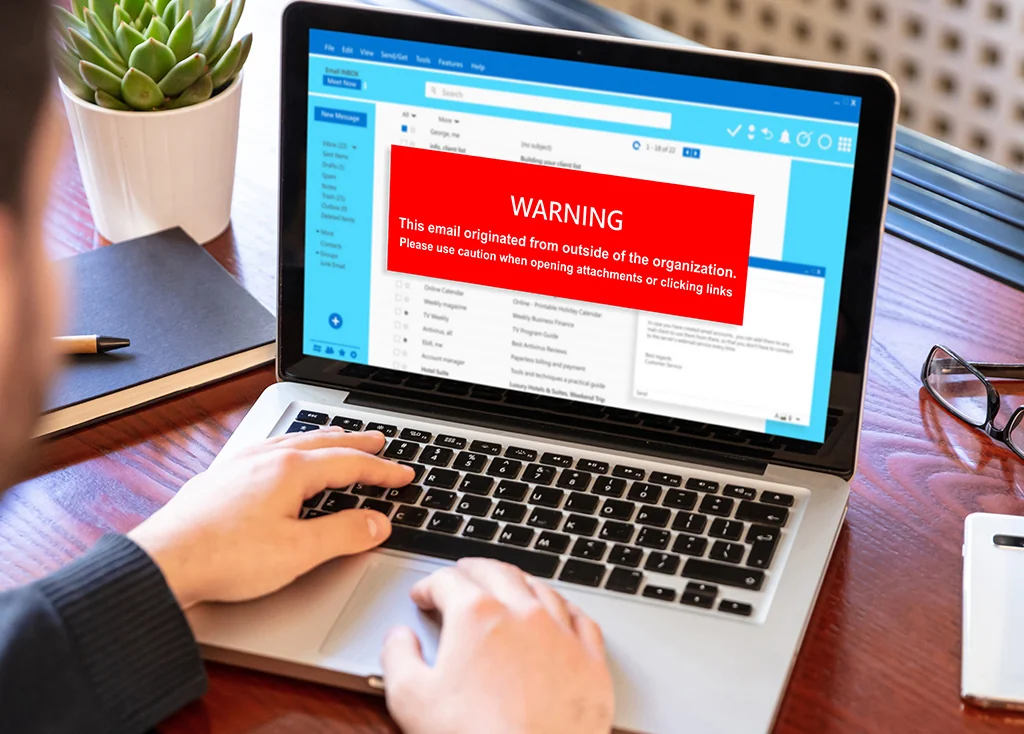
- Unexplained urgency: a deadline measured in minutes or threats that a refund/account will disappear.
- Hidden or unrelated destination: a shortened URL, QR code, IP address or domain that is not an expected Amazon/regulator site.
- Credential request: a page reached from email asks for password, one-time code, card or bank information.
- Off-platform payment: instructions to pay a “processing fee,” transfer money, buy gift cards or install remote-access software.
- Vague product: the message cites only an order number or “recent item” and provides no verifiable product identity.
- Unfamiliar support channel: it insists on calling or messaging a number supplied only in the email.
- Attachment pressure: an unsolicited file must supposedly be opened to view recall details.
Spelling mistakes and strange formatting strengthen suspicion, but perfect spelling does not prove authenticity. Sender addresses can be spoofed or use look-alike characters, and an email account can display only a friendly name. Hovering over a link may reveal a mismatch, but the safer action is not to use it.
No single clue establishes that the underlying product is safe. A scammer can reference a real recall, and a real recall can affect an item even if the scam message is unrelated. After reporting the email, independently search the exact model or code at CPSC, FDA, NHTSA or FSIS.
Verify the Product Recall Outside the Email
After checking Amazon, identify the regulator for the product. Use a bookmark or type the government address directly. Search the product name, manufacturer and model/code from the item—not merely text copied from the email.
| Product | Official source | Key match |
|---|---|---|
| Household goods, electronics, toys, appliances | CPSC recalls | Brand, model, date/serial range and remedy |
| Food, medicine, device, cosmetic, supplement, pet food | FDA notices | Product, UPC/NDC, lot, date and company action |
| Vehicle, tire, car seat, equipment | NHTSA recalls | VIN or make/model/model year and campaign |
| Inspected meat, poultry, processed egg product | USDA FSIS | EST/P number, lot/date and label |
Open the government notice and compare the exact model, size, serial number, UPC, lot, production date or VIN. A product family name can include unaffected variants. An Amazon Standard Identification Number may help locate your order, but it does not replace the regulator's affected-product identifiers.
Then compare the remedy. CPSC may direct stop use plus repair, replacement or refund through the recalling firm. FDA or FSIS may direct return, discard or company contact. NHTSA campaigns generally explain dealer repair. Follow the official campaign; do not submit financial information to an email form simply because the remedy mentions a refund.
If no government result appears, check the manufacturer page and contact Amazon through authenticated Customer Service. Some safety alerts are not federal recalls, and a new notice may not be indexed immediately. Record the time and pages checked. Absence from one database does not authenticate the email or certify the product.
For broader Amazon purchase navigation, see how to check Amazon product recalls.
What to Do If the Recall Is Real
Stop using, eating or serving the product when the official notice says to do so. Keep it away from children, pets and anyone who might use it unknowingly. For a vehicle or medically necessary product, follow the regulator's specialized instructions; do not stop essential treatment or operate unsafely based only on an email.
Photograph the model/serial/lot label and order details. Open Amazon's personalized alert through your account and compare it with the regulator notice. Follow the specific disposition: it may involve manufacturer contact, repair, replacement, return or safe disposal. Do not mail batteries, chemicals or other hazardous items unless the instructions provide an approved method.
Refund availability varies by campaign, seller, product and Amazon's displayed options. A legitimate recall does not create one universal “Amazon recall refund.” Use the option inside the authenticated account or the official recalling-firm channel. Never pay a fee, buy gift cards or provide a one-time passcode to receive a refund.
If the product caused an incident
Preserve photos, receipts and relevant product parts if it is safe to do so. Seek emergency or medical help when needed. Report through the regulator's official incident/complaint system and provide factual details; do not infer that the recall caused an illness, fire or injury without evidence. Amazon Customer Service and the manufacturer may have separate reporting paths.
Recheck the notice for expansions or corrections. A campaign may add serial numbers, date codes or instructions. Keep your action record and confirmation number, but do not post order numbers, home addresses or personal contact information publicly.
What to Do If You Clicked or Shared Information
Do not panic, but act according to what happened. Simply opening a message is different from following a link, downloading a file, entering credentials or sending money. Stop interacting with the page and use a different trusted route to protect the affected accounts.
You clicked but entered nothing
Close the page. If a file downloaded, do not open it. Update the device's security software and run a scan, as the FTC recommends when a link or attachment may have delivered malicious software. Review browser downloads and installed apps/extensions. Clicking does not prove infection, but checking is prudent.
You entered an Amazon password or one-time code
Open Amazon independently, change the password immediately, sign out unrecognized sessions if the account offers that control, review orders, addresses and payment methods, and enable two-step verification. Change the password anywhere else it was reused. Contact Amazon through the app/site if access or account details changed.
You shared card, bank or identity information
Contact the card issuer, bank or credit union through the number on the card or its official app—not the email. Report unauthorized transactions and ask for the institution's protective steps. If personal information such as a Social Security number was exposed, use IdentityTheft.gov for a recovery plan. Monitor accounts for unfamiliar activity.
You paid or installed remote-access software
Tell the payment provider immediately and ask what reversal or fraud process is available. Disconnect remote access, update security software, scan the device and change passwords from a trusted device. Seek help from the device maker or a reputable support provider, not the caller or email sender.
Report the email to Amazon through its official Report a Scam page and to the FTC at ReportFraud.ftc.gov. Preserve headers or screenshots without publicly exposing personal data. Then separately verify the product recall; account recovery does not answer the safety question.
Frequently Asked Questions
Does Amazon really send product safety emails?
Yes. Amazon says it sends personalized recall communications and displays alerts in Your Orders and the personalized recall page. The existence of real emails is why independent in-account verification is necessary.
Can the sender address prove the email is real?
No. Display names and visible sender details can be imitated. Do not maintain a short “approved address” list as your only defense because message systems and regional domains vary. Check the account and regulator directly.
What if the order number is correct?
Correct order details increase plausibility but are not authentication; exposed purchase data can support targeted phishing. Find the order inside your account and look for a matching safety alert.
Will Amazon always provide a refund?
No universal promise applies. The personalized notice may show refund, return, repair or manufacturer options for that campaign. Use only the authenticated account or official recalling-firm instructions.
What if I bought the item as a gift or through another account?
The notice may appear in the purchaser's account. Independently check the product model/lot with the regulator and coordinate with the purchaser without sharing passwords or one-time codes.
Should I reply and ask whether the email is real?
No. A reply confirms the address is active and keeps you in the attacker's channel. Contact Amazon through its app/site and report the suspicious message.
Is an Amazon email enough to prove a product recall?
Treat the in-account alert as important, then confirm affected identifiers and remedy on CPSC, FDA, NHTSA, FSIS or the manufacturer page linked by the official source. See our Amazon recall text scam guide for the same safe-verification principle.
Product Recall Checker is independent and does not authenticate Amazon messages, issue recalls, process refunds or replace Amazon, regulators, financial institutions or law enforcement.
Comments
Comments are reviewed before publication. Do not post personal information, serial numbers, medical details, or emergency reports. For urgent safety concerns, use the official agency contact in the recall notice.
Sign in with Google to leave a comment
Loading comments...